Each city has a team-finder board: teams that need a sub or players, people forming a team or looking for one, coaches, and rooms going spare. Anyone can read it.
Replies go through ImprovTeam, so nobody has to share an email address or a phone number.
Read the board
- 1
Open Team finder from Find and book, or Team-finder board under More in on a city page.
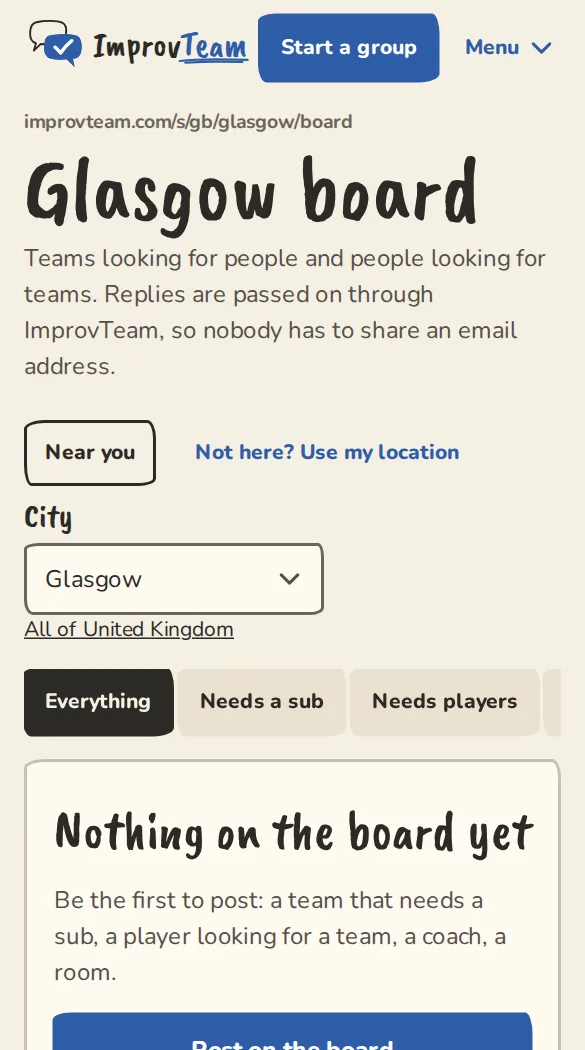
Glasgow's team-finder board on a phone. - 2
Tap a kind to see only those: Needs a sub, Needs players, Forming a team, Looking for a team, Looking for a coach, Offering coaching or Room available.
- 3
Each post says who posted it and when it expires. A sub request also names the event it is about.
Reply to a post
- 1
Tap Reply on the post. If you are not signed in, you log in and come back to it.
- 2
Write your message, up to 500 characters, and tap Send. Leave contact details out: emails, phone numbers and bank details are refused.
- 3
The poster gets an email or a notification and answers in the app. Their answer reaches you the same way, with a Read and answer button.
- 4
Neither of you sees the other's email address. You do see each other's name.
Post on the board
- 1
On the board, tap Post on the board. An organiser can also tap Need a sub? Post on the board on a show or practice that is short of people: the event and the number needed are filled in.
- 2
Pick What is it?, fill in What are you looking for? (up to 500 characters), and under Post as choose yourself or a group you run in that city.
- 3
Set Days on the board (30 unless you change it, at most 90) and tap Post.
- 4
When someone replies you get an email or a notification. Answer each person from their own conversation.
Close, renew or report
- 1
Open Settings, then Your board posts, to see your posts and how many conversations each has. Open your board posts
- 2
Tap Mark as filled once you have found someone: the post comes off the board at once and reads Filled here. Close does the same without saying so. Renew for 30 days puts either back, and Edit changes the words.
- 3
If a post should not be there, open it and tap Report this listing. Once 3 people report it, it is hidden and an admin looks at it.
Good to know
What it doesn't do yet
Try it in a sandbox
Make a private copy with made-up people and follow these steps without changing anything real.
Still stuck?
Write to us from the contact page. Say which page you were on and what you tapped.