If you coach, a profile with a rate and the days you are free lets teams in your city find you and ask you to coach a practice. If you run a team, you can book a coach in a few taps.
You agree the time in the app, and the team pays you directly. ImprovTeam takes no payment.
For coaches: your profile
- 1
Open Settings, then Profile. Open Your profile
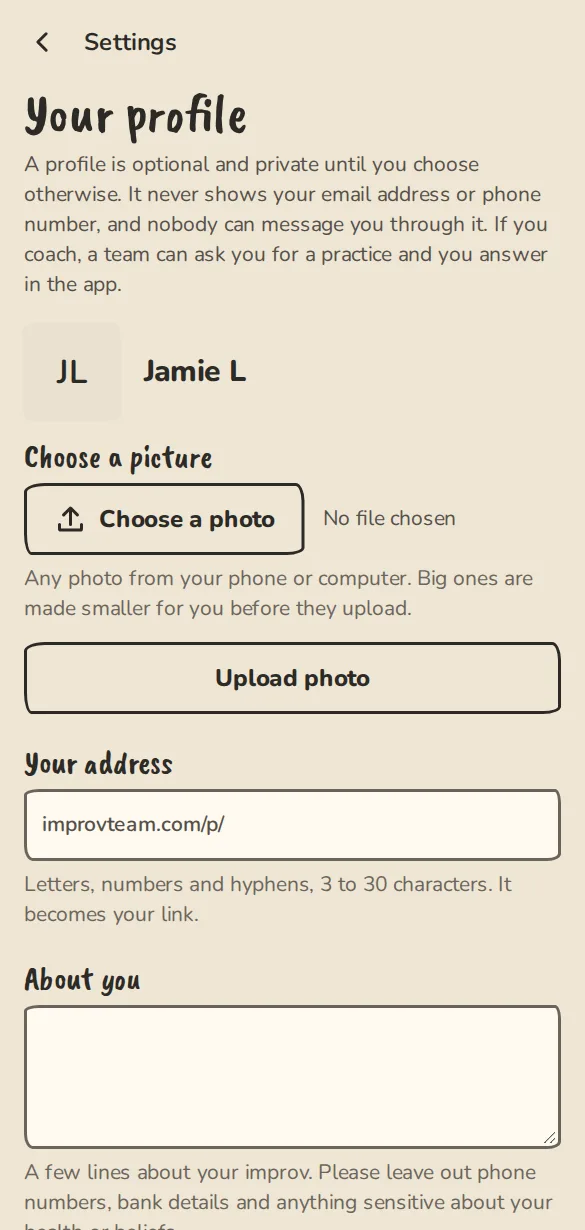
The profile settings on a phone: photo, handle, about and who can see it. - 2
Choose Your address (your link), write a few lines in About you and set Where you are. Add a photo once the profile is saved.
- 3
Under What you are looking for, tick Coaching (I coach teams).
- 4
Set Who can see it to Anyone to be listed in the coach directory for your city. Only me and Signed-in people keep you out of it.
- 5
Tap Create profile (or Save profile later).
For coaches: rate and availability
- 1
Open Settings, then Coaching. The profile page links to it as Your coaching once Coaching is ticked. Open Coaching
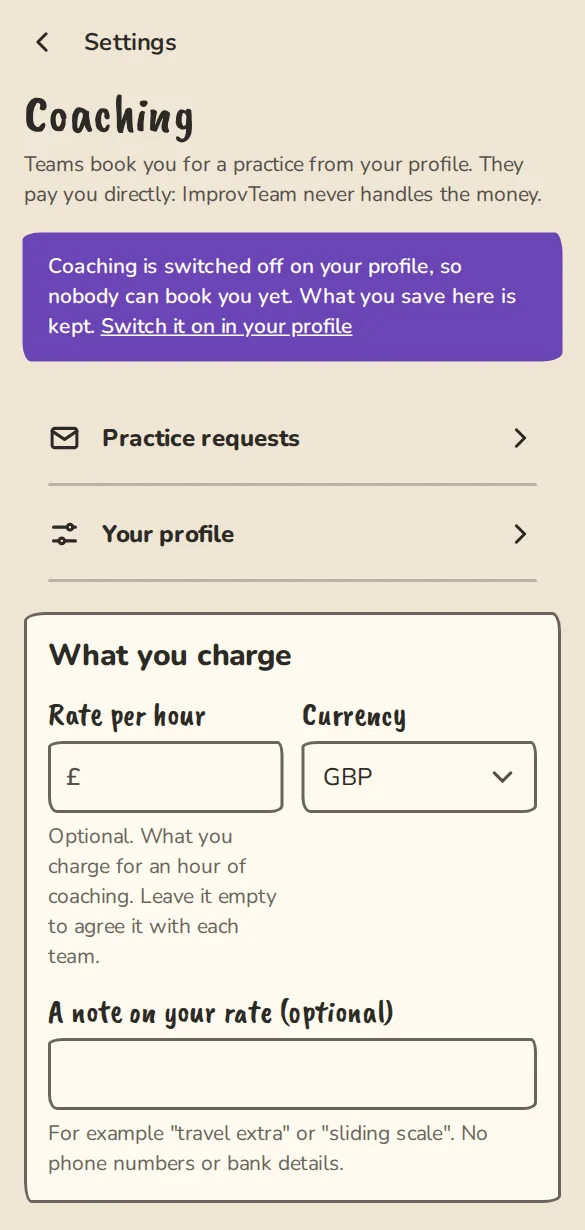
The coaching settings on a phone: hourly rate and the times you are free. - 2
Set your Rate per hour and Currency. Leave the rate empty to agree it with each team.
- 3
Under When you are free, tap the days you usually coach and add the hours.
- 4
Under Particular dates, mark days you are away, or extra days you are free.
- 5
Under Where a team can pay you, tap + Add a payment link for each link (Monzo.me, PayPal.me, Revolut and similar). A team sees them only after you accept. Tap Save coaching.
- 6
Under Coaching, open Questions for teams to add up to three questions a team answers when it asks you for a practice, for instance what they want to work on. New coaches start with What do you want to work on? as the first one; change or remove it any time. You can download every request with its answers as a spreadsheet from the same page. Open Questions for teams
For teams: book a coach
- 1
Open Find and book, then Book a coach, to see the coaches in your city. Find a coach
- 2
Open a coach's profile and use Book for a practice. Pick the Team, Date, Start time and Length.
- 3
Add a Venue and a short Message if you like, and answer any questions the coach has added. The estimate shows the rate times the length.
- 4
Tap Review request, check the details, then press the button again to send it.
- 5
Follow it in your group under More, then Coaching requests. If the coach suggests another time, tap Accept their time or Decline.
For coaches: answering
- 1
A request arrives by email with one-tap Accept and Decline buttons.
- 2
Or open Settings, then Requests from teams, where the team's answers to your questions are shown, and tap Accept, Decline or Suggest another time.
- 3
Accepting puts the practice on the team's schedule with you leading it, and adds you to the team as a non-playing member so you can see its details.
- 4
It also adds a cost for your fee to the team's Money tab, split between the players. The team pays you with your own payment links.
- 5
When a team pays you by card, you get an email or notification with the team, the day and the amount. Payments made straight to you outside ImprovTeam are not seen by the app.
Good to know
What it doesn't do yet
Try it in a sandbox
Make a private copy with made-up people and follow these steps without changing anything real.
Still stuck?
Write to us from the contact page. Say which page you were on and what you tapped.