Show venues are listed, not run through the app. Each listing shows what the venue publishes itself: address, capacity, how hiring works, and how to book, with where the details came from and when they were checked.
To hire a venue you contact the venue with the booking link, email or phone on its listing. ImprovTeam takes no bookings or payments for a listing. A theatre on ImprovTeam can also take room requests in the app.
Find a venue
- 1
Open Venues from Find, or your city page, and pick your city.
- 2
Each card shows the address, capacity and whether it also hires rehearsal rooms. Tap Details and contact for hire notes, rooms, access and prices.
- 3
Use Book online, Email or Call on the listing to reach the venue. These are the venue's own business details; check the date next to Info as of.
- 4
On the event form, tap Pick from list next to the venue to choose a listed venue. It is added to your group as a place you can reuse.
Something wrong, or it is your venue
- 1
Tap Report a problem on a listing to tell us what is out of date, or Request removal. We cannot reply to these forms, so leave out contact details.
- 2
If you run the venue, tap This is my venue, then Send the right details. Add where the details are published. A platform admin checks them before they go live, and the listing then says it was confirmed by the venue.
- 3
A theatre group on ImprovTeam can claim the listing instead, so it links to the theatre's page and its rooms.
Suggest a venue
- 1
On your city's venue list tap Suggest a venue, choose Show venue (or Both), fill in the details the venue publishes and where you found them, and send it for checking.
- 2
You can send 5 suggestions or corrections a day. Nothing is public until a platform admin has checked it.
Booking a theatre's room in the app
- 1
A theatre that lists its rooms takes requests in the app. Open your group, then More, then Book a room, find the theatre and tap Choose.
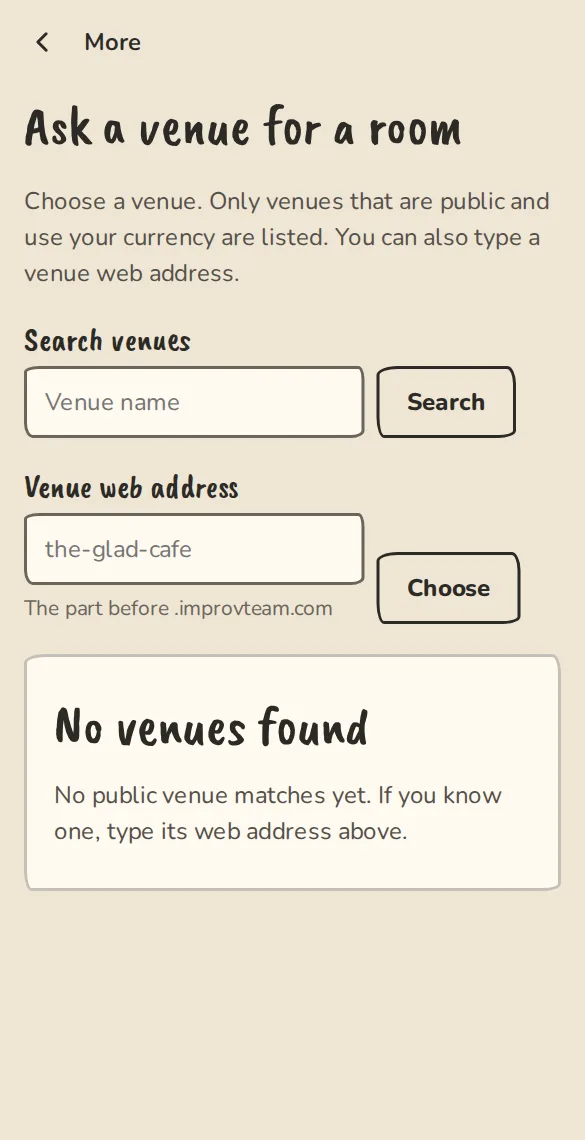
The "Book a room" request form on a phone: venue, room, date and times. - 2
Pick Which room, then For which event, or fill in the Date, From and Until, add anything the theatre should know and tap Send request. For a weekly practice, pick How often and ask for up to 12 weeks in one go.
- 3
When the theatre confirms, it goes on your event and a room cost lands in your Money tab, split between the people who said yes. Bookings, under More, shows how to pay the theatre.
Good to know
What it doesn't do yet
Try it in a sandbox
Make a private copy with made-up people and follow these steps without changing anything real.
Still stuck?
Write to us from the contact page. Say which page you were on and what you tapped.