The run sheet is the day-of page. It shows one venue on one day: every stage in it, each stage's shows in time order, and what is on now.
Each act's call time and tech needs are set on its show's own run sheet. Saving a call time tells the act.
One venue, one day
- 1
Open the festival, then Run sheet. Pick a day, then a venue.
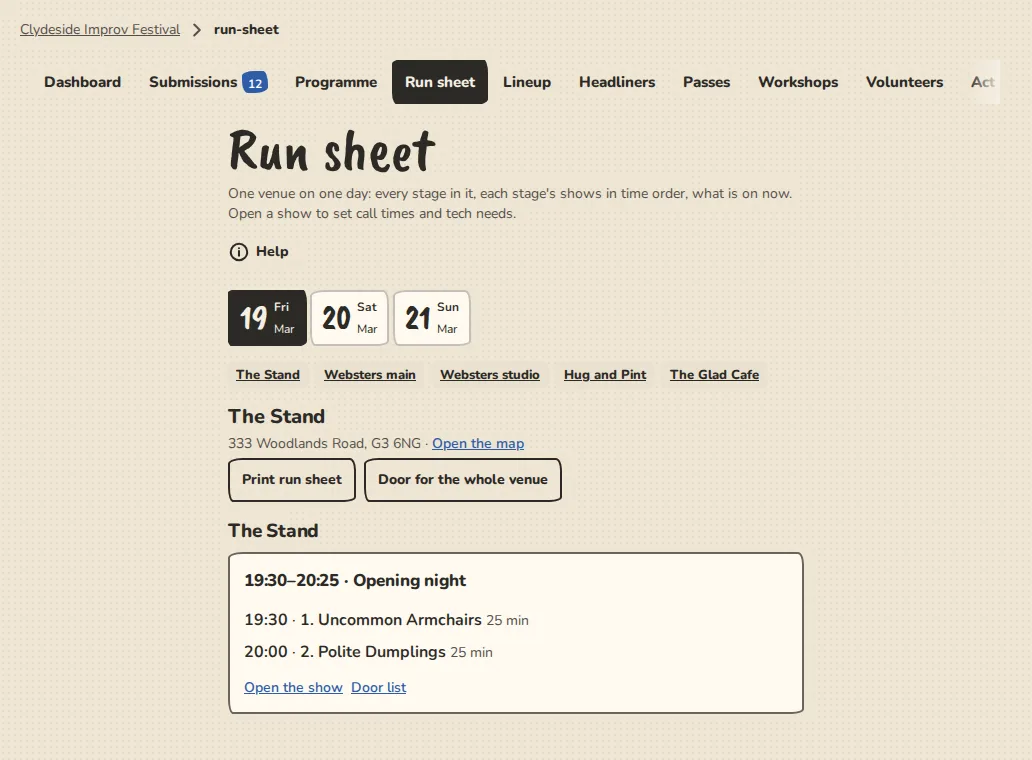
A festival's run sheet on a computer: one venue on one day, with each show in time order. - 2
Every stage in the venue is listed with its shows: the on-stage time of each act, when it arrives, its tech needs and, once its team has said Yes, the names in the cast. The show on now says On now.
- 3
Tap Open the show to open that show's run sheet, or Door list for its door. Print makes a page for the stage manager.
Call times and tech
- 1
On a show's run sheet, open Edit on an act and fill in Arrive by and Soundcheck. Leave a time empty for none.
- 2
An act that plays more than one show has its own call times for each. Its tech needs are the same in all of them.
- 3
Add a door and house note at the bottom of the show's run sheet. It is printed with the sheet and never shown to the acts.
What the acts see
- 1
Each act has a page for its slot, linked from its emails: the day, its call time, when it is on, the venue's address and a link to a map, and a form for what it needs.
- 2
After it is accepted, the page has Confirm and I can't make it. They do the same as the buttons in the emails. An act that can't make it comes off the lineup, you are told, and the acts after it move up.
- 3
The act pack lists only the venues an act plays. See The act pack.
Good to know
What it doesn't do yet
Try it in a sandbox
Make a private copy with made-up people and follow these steps without changing anything real.
Still stuck?
Write to us from the contact page. Say which page you were on and what you tapped.