People without an account can sign up for an open session with only a name and an email address. Their place is held straight away, but it only becomes theirs once they tap the link we email them.
This guide also covers "Approve first-timers", for hosts who want to say yes to newcomers before they come.
Signing up as a guest
- 1
Open the session page from the link the host shared, or from the group page.
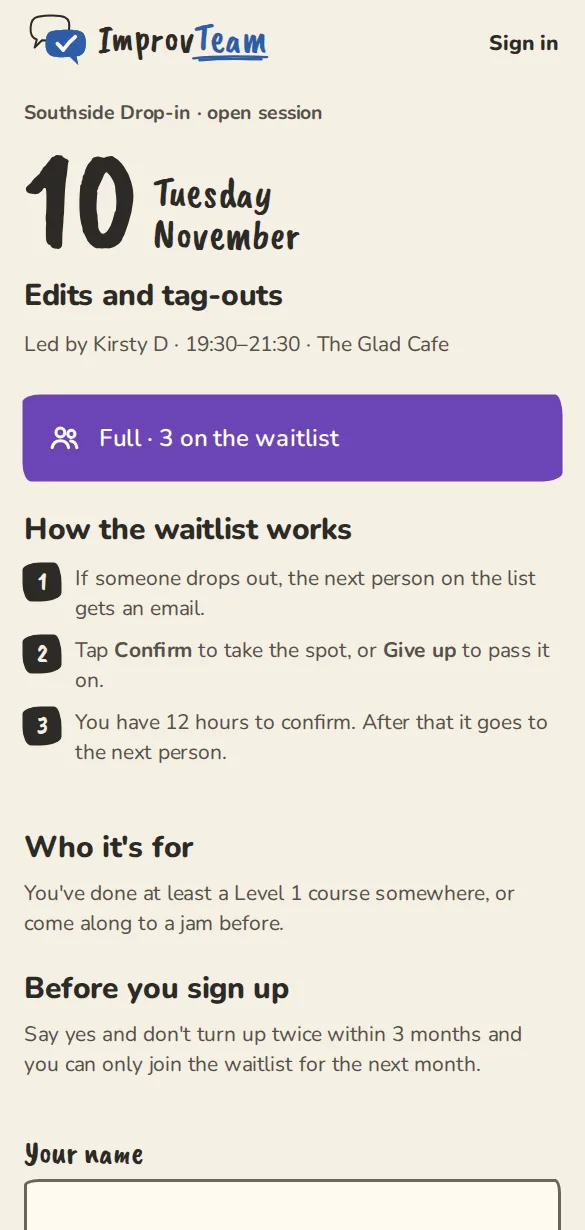
A drop-in session's page for someone without an account: the session, then the name and email form. - 2
Type Your name and Email, then tap Sign up. If the session is full, the button is Join the waitlist.
- 3
The page says Check your email. Open the email with the subject Confirm your spot at and the group's name, and tap Confirm my spot.
- 4
The link opens the session page. Tap Confirm my spot there too. Now the place is yours, and you get the usual You're in email with a Drop out button.
For hosts: guests on your list
- 1
Open the session page. Who's in lists everyone signed up and waiting.
- 2
A guest who has not tapped their link yet has an Email not confirmed label. Their place counts towards the spots while it is held.
- 3
If they never confirm, the hold runs out, the place frees up and the waitlist moves up.
- 4
Someone who has never been to one of your sessions has a First time label, so you can say hello.
Approving first-timers
- 1
Open the group, tap Settings, then Sessions and sign-up. Turn on Approve first-timers and tap Save sign-up settings.
- 2
When someone new signs up, they see The host approves new people first, and we've asked them. The group's owner and admins get an email that they asked to join.
- 3
Open the group's People tab. Under Wants to join, tap Approve or Decline.
- 4
An approved person gets a You're approved email and can sign up for any session from then on. If they tried to join a session first, the email takes them to it. You only approve each person once.
- 5
A group set to Members only works the same way for everyone, not only first-timers.
Good to know
Try it in a sandbox
Make a private copy with made-up people and follow these steps without changing anything real.
Still stuck?
Write to us from the contact page. Say which page you were on and what you tapped.