Home is the first page after you sign in: what needs an answer, what is coming up, and your groups. Tonight shows only today.
Home
- 1
Needs you is at the top: events you have not answered and sessions you can sign up to, soonest first. Answer right there on the card.
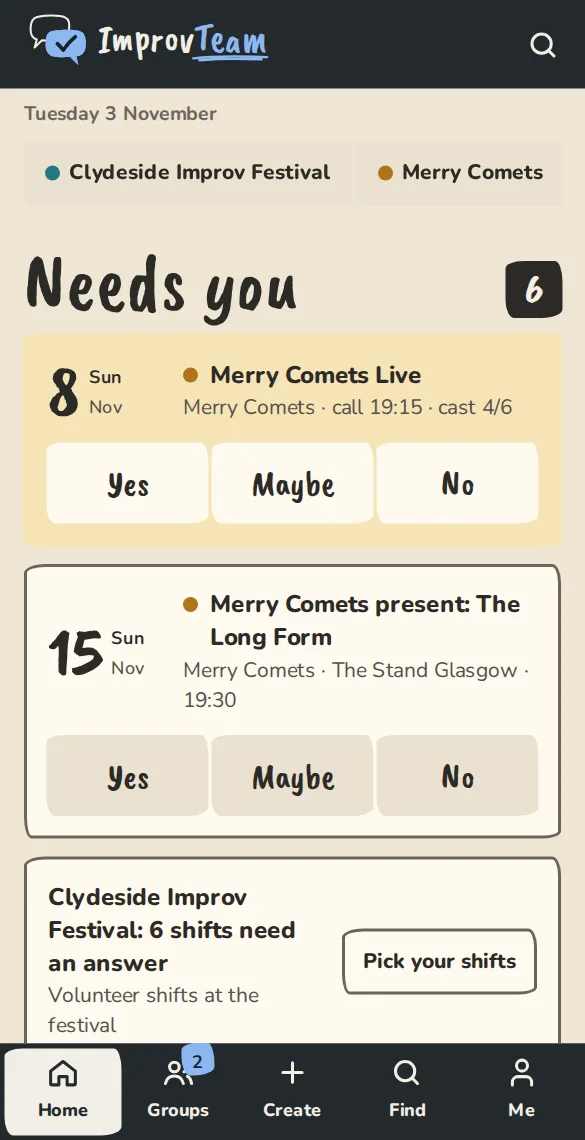
The home feed on a phone, with a "Needs you" card that has Yes, Maybe and No buttons. - 2
Only the first 3 cards show. Tap Show all to see the rest.
- 3
A festival's volunteer shifts come as one card. Tap Pick your shifts to answer them on the festival's rota.
- 4
Coming up lists what you have answered across all your groups, each marked In, Maybe, Out or with your waitlist place. If you have a place on a course, or teach one, its classes are in the list too, marked Class. A student's class opens their course page, a teacher's opens the session. Past events at the top right of Coming up lists the shows, practices and sessions you answered or led, newest first, 30 at a time.
- 5
If you owe a group money, a banner says how much, with a Pay button. It sits at the top on a phone and beside the feed on a computer.
- 6
If you follow any places, their public events are under From places you follow further down.
Your groups
- 1
On a computer, your groups are in the side bar under Your groups, each with its tabs. On a phone, tap the Groups tab at the bottom, or a group's name at the top of Home.
- 2
A group opens on its Schedule tab. Grid shows everyone's answers for the next 8 weeks with your column first; By event lists the events one by one.
- 3
Tap one of your own cells in the grid to open that event and answer it.
- 4
The other tabs depend on the group. A team has People, Money, Polls, Notes, Resources and More.
Tonight
Tonight is the view for the day itself: only today's events across your groups, in your time zone.
- 1
On a computer, tap Tonight in the side bar under Home. On Android, with ImprovTeam on your home screen, press and hold its icon and pick Tonight. You can also search for Tonight. Open Tonight
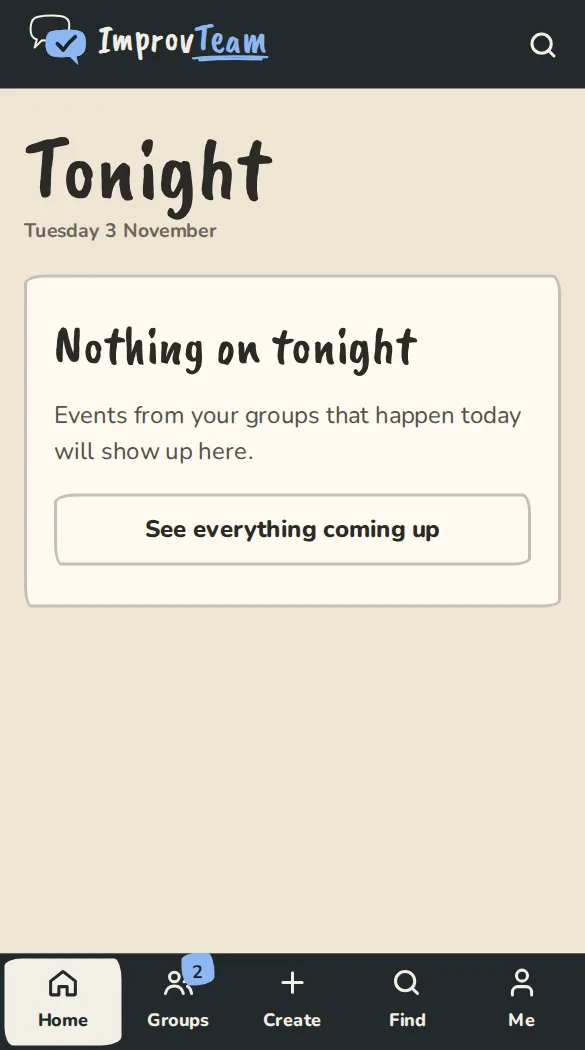
The Tonight view on a phone, showing what is on today. - 2
Each event shows who is in, how many said maybe or have not answered, and your own answer for tonight.
- 3
Tap Map for directions or Event page for the details. Hosts of a show also get Show overview, Door list and Scan tickets.
- 4
If there is nothing today, it says Nothing on tonight. Tap See everything coming up to go back to Home.
Good to know
What it doesn't do yet
Try it in a sandbox
Make a private copy with made-up people and follow these steps without changing anything real.
Still stuck?
Write to us from the contact page. Say which page you were on and what you tapped.