ImprovTeam is a web app. You add it to your home screen from the browser and it opens full screen, with its own icon. It doesn't come from an app store, and there is nothing to download.
Once it is on your phone, your home feed, your groups' schedules and event pages you have opened before still open without a signal.
On iPhone or iPad
Use Safari. Other browsers on iPhone have different menus, and only Safari gets the install card on Home.
- 1
Open improvteam.com in Safari and log in.
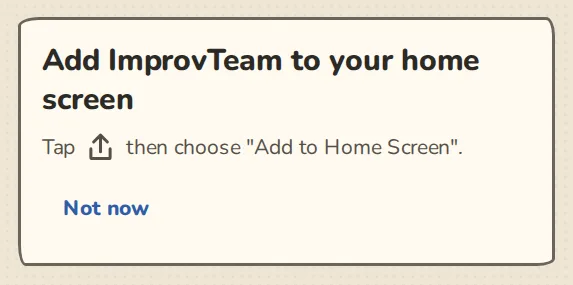
The "Add to Home Screen" card on an iPhone in Safari, with the Share button steps. - 2
Tap the Share button: the square with an arrow pointing up, in the bar at the bottom (at the top on iPad).
- 3
Scroll down the list and tap Add to Home Screen.
- 4
Leave the name as ImprovTeam and tap Add.
- 5
Open ImprovTeam from the new icon from now on. On iPhone, push notifications only work in the app opened from that icon, not in a Safari tab.
On Android
- 1
Open improvteam.com in Chrome and log in.
- 2
From your second visit, Home shows a card: Add ImprovTeam to your home screen. Tap Add.
- 3
Chrome asks you to confirm. Tap Install.
- 4
If there is no card, tap the three dots at the top right of Chrome, then Add to Home screen or Install app (the wording depends on the phone).
- 5
Open ImprovTeam from the new icon. Press and hold the icon for two shortcuts: Home and Tonight.
On a computer (Chrome or Edge)
- 1
Open improvteam.com in Chrome or Edge and log in.
- 2
Click the install icon at the right-hand end of the address bar. If there is none, open the browser menu (the three dots) and look for the option to install ImprovTeam as an app.
- 3
Click Install. ImprovTeam opens in its own window, and you find it with your other apps from then on.
Good to know
Try it in a sandbox
Make a private copy with made-up people and follow these steps without changing anything real.
Still stuck?
Write to us from the contact page. Say which page you were on and what you tapped.