A mixer is a pickup show. Performers sign up one by one, you draw the teams before the show, and locking the draw puts each team in the running order.
For hosts
- 1
In the show form, pick Mixer (individual sign-up). Or open Mixer: individual sign-up on the show overview and tap Turn on individual sign-up.
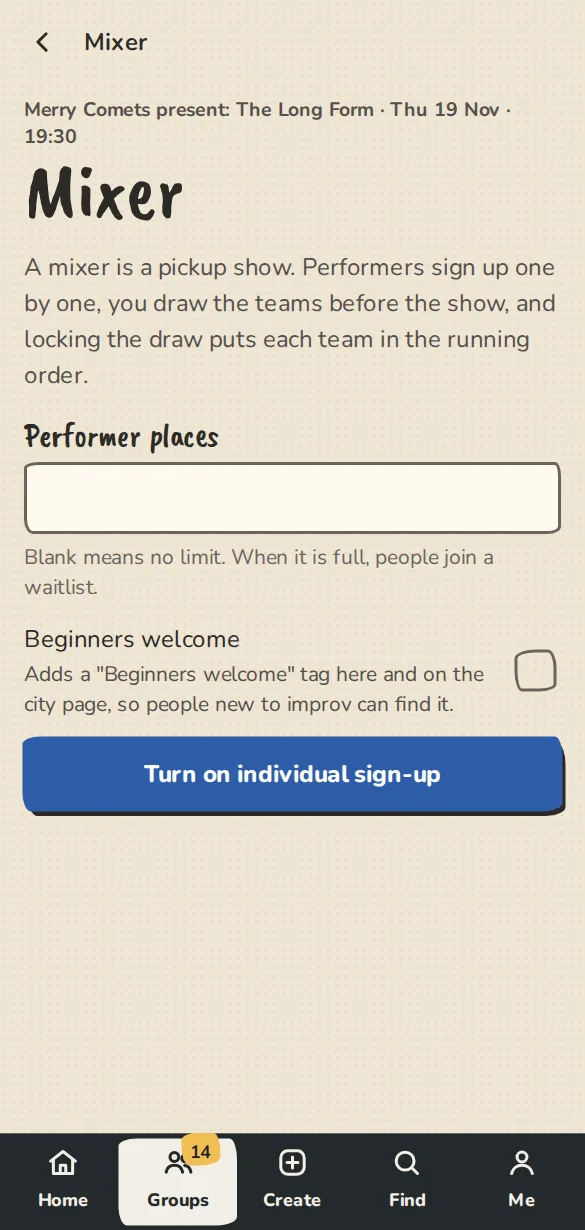
A show's Mixer page on a phone: performer places and the button for individual sign-up. - 2
Set Performer places and tap Save. Blank means no limit. When it is full, people join a waitlist.
- 3
Share the show. Its public page now has Sign up to play next to the tickets.
- 4
Once at least 2 people are in, go to Teams. Give a Number of teams, or a team size to work it out, and a Set length (min). Tap Draw teams.
- 5
To draw again, tap Redraw teams. Give each team a name and tap Save team names.
- 6
Tap Lock the draw. Each team becomes an act in the running order, every performer is told their team, and sign-up closes.
For performers
- 1
On the show's public page tap Sign up to play.
- 2
Signed in, that is one tap. Otherwise give your name and email.
- 3
You get a confirmation with a Drop out link. If it is full, tap Join the waitlist and you move up if someone drops out.
- 4
When the hosts lock the draw, you get an email (and a notification, if you allow them) with your team and who you are playing with.
Good to know
What it doesn't do yet
Try it in a sandbox
Make a private copy with made-up people and follow these steps without changing anything real.
Still stuck?
Write to us from the contact page. Say which page you were on and what you tapped.