Passes get people into festival shows. Sell a weekend pass, a day pass or a workshop bundle, give comps to performers and volunteers, and take bookings for workshops.
Make a pass
- 1
Open the festival, then Passes, and tap New pass.
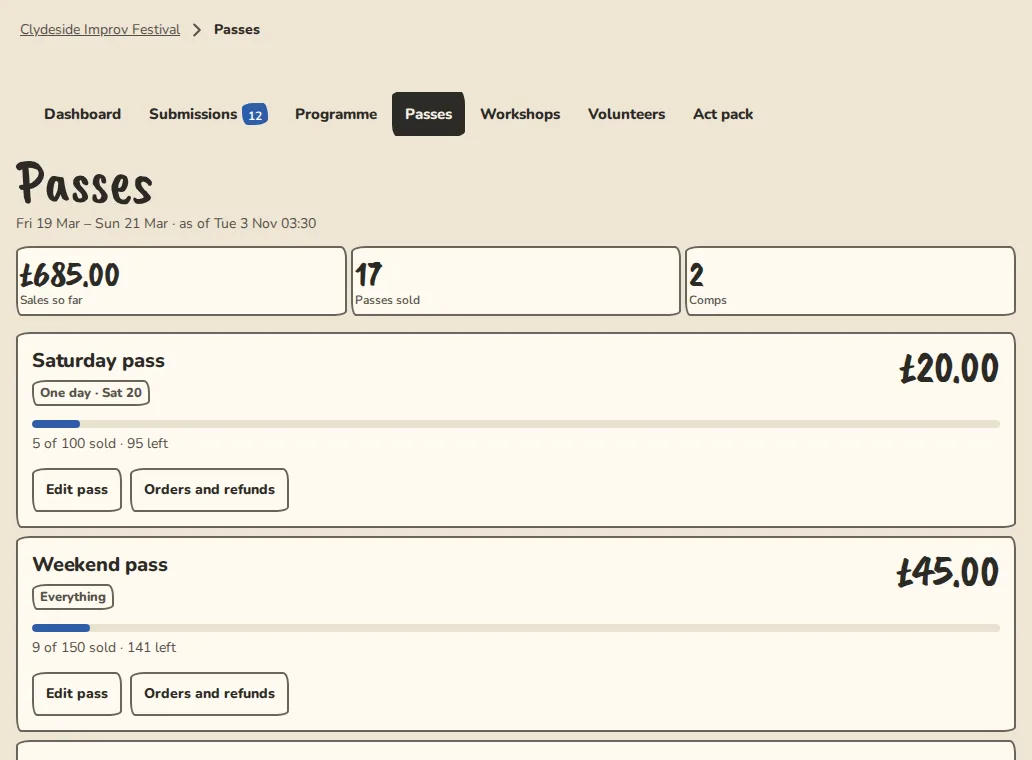
A festival's passes page on a computer: pass types, sales and comps. - 2
Give it a name, a Price (0 for free) and a Cap. Leave the cap empty for no limit.
- 3
Under What it covers, choose Everything (every show), A day (every show that day) or Workshops. For a bundle, set How many workshops.
- 4
Leave Visible on the festival site on and tap Save pass. It appears under Passes on your site.
- 5
Buyers pay by card when Stripe is connected. The pass arrives by email with a code, and they show the email or their pass page at any venue door.
While it sells
- 1
Raise cap releases more passes. Open waitlist lets people leave their email when it is sold out.
- 2
Orders and refunds lists every order. Refund a paid one or cancel a free one from there.
- 3
Edit pass changes it later. A pass that has sold can't be deleted, so hide it instead.
Comps for performers and volunteers
- 1
Make a weekend pass that covers Everything first. Comps are issued from it.
- 2
On Passes, open Performer comps and tap Issue comps. Each performer gets a pass, plus one guest pass per team, and the codes are emailed.
- 3
For anyone else, use Comp someone by email: their email, a name if you like and the pass, then Send comp.
Workshop bookings
- 1
Accepted teachers' workshops are placed on the programme like acts. Once the schedule is public, each has a booking page on your site.
- 2
To set a price or a number of places, open Workshops, tap the workshop, then Edit. Leave the price empty for a free workshop.
- 3
People tap Book a free place, pay by card, or Book with my bundle to use a credit from a workshop bundle. A full free workshop has a waitlist.
- 4
On Passes, Workshop bookings and refunds opens each workshop's list. Tap Cancel place to free a place for the next person.
Good to know
What it doesn't do yet
Try it in a sandbox
Make a private copy with made-up people and follow these steps without changing anything real.
Still stuck?
Write to us from the contact page. Say which page you were on and what you tapped.