A festival on ImprovTeam takes applications, builds a programme, sells passes and fills a volunteer rota. It also gets its own public site.
This guide is for organisers: whoever creates the festival, and anyone made an admin of it.
Want to try this first? A sandbox has made-up people and nothing is sent or charged. How a sandbox works
Create the festival
- 1
Open the Start something page and pick A festival. Start a festival
- 2
Type the Festival name and choose the country and city. The web address becomes yourfestival.improvteam.com.
- 3
Fill in First day and Last day. The submission window, the Submission fee for teams, Decisions by, Schedule goes public and Strands (optional) can wait until later.
- 4
Tap Create festival. You land on the festival dashboard.
The dashboard
- 1
Open the festival. The Submission window card shows the days left, with Close early or Reopen for late entries.
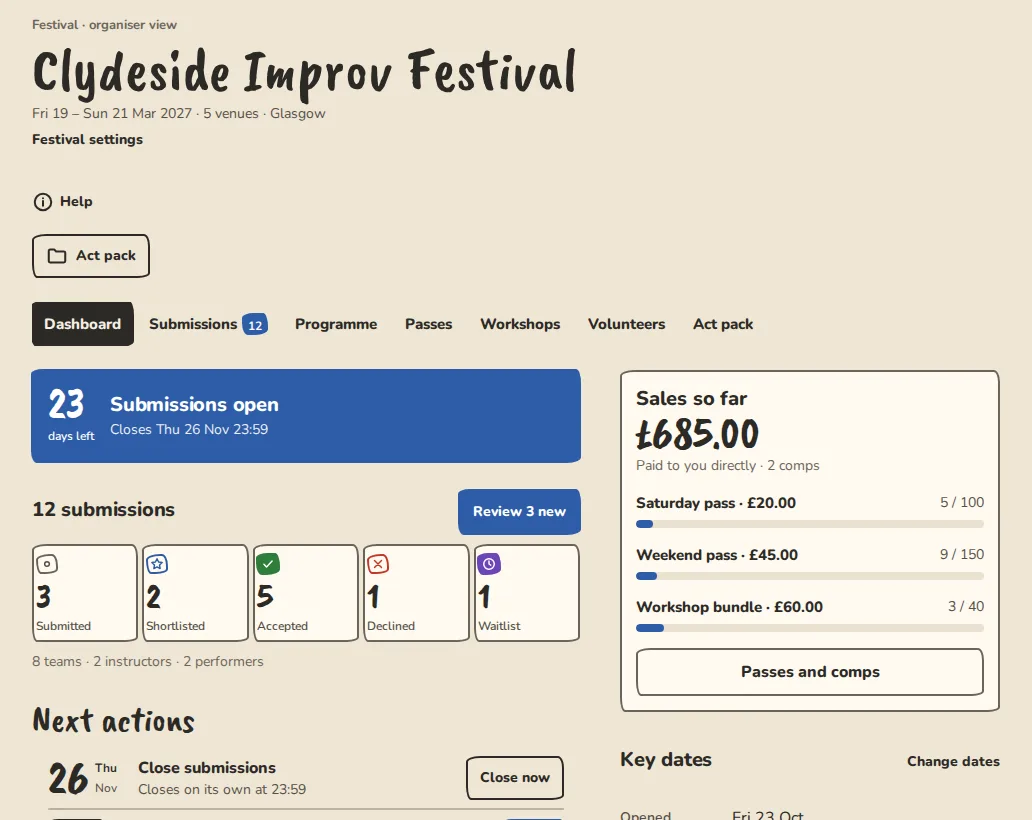
A festival's dashboard on a computer: submissions so far, next actions, sales and key dates. - 2
Next actions lists what is due: Open submissions, Send acceptances and Go public, with the clash count.
- 3
Sales so far shows passes sold and comps. Key dates lists the window, decisions, schedule and festival days, with Change dates.
- 4
The festival's sections are Submissions, Programme, Passes, Workshops, Volunteers and Act pack.
Festival settings
- 1
On the dashboard, tap Settings. Change the days, the window and the fee, then tap Save settings.
- 2
Under What you take tick troupes, duos, solo performers or workshops. People can filter the open calls by these. With no fee set, the festival shows as free to apply.
- 3
Under Venues, tap Add a venue for each room. The programme grid and the volunteer shifts use them.
- 4
Under Reviewers, type a name and an email address and tap Add reviewer. Someone already in the group is emailed that they are a reviewer now. Anyone else gets an invitation. Tap Review setup to set up criteria, sharing and blind review.
- 5
Under Card payments, tap Connect Stripe if teams should pay the fee and buy passes by card. The money goes to the festival's own Stripe account.
- 6
More announced on, under Public lineup, adds a line like More announced 1 Feb under the lineup on your site.
The public festival site
- 1
Your site lives at yourfestival.improvteam.com. Its menu has Lineup, Schedule, Workshops, Passes and Submit.
- 2
Submit is the application form. Share it when the window opens.
- 3
The lineup lists the acts and the workshop teachers you have announced. Until then it says Lineup coming soon. Open Go public from the dashboard or the Programme to make the schedule, acts and teachers public in one go, or at a Goes public on time. The sheet says who will be told, your followers and news subscribers, and you can choose to tell nobody. Lineup in the festival tabs is for public names, photos and the order.
- 4
The schedule stays hidden until you make it public on the Go public sheet. Workshops are listed before that, but their times and booking only appear once the schedule is public.
- 5
The footer links to Volunteer with us, the volunteer sign-up page.
- 6
Open Headliners from the dashboard to name your headliners. They stay private until you tick Headliners on the Go public sheet. See Headliners for how.
Good to know
What it doesn't do yet
Try it in a sandbox
Make a private copy with made-up people and follow these steps without changing anything real.
Still stuck?
Write to us from the contact page. Say which page you were on and what you tapped.