A sandbox is a private place to try ImprovTeam out. It is a copy of a group, filled with made-up people and things to do, that only you and the friends you invite can open. Nothing you do in it is real.
It is not the sample group on Home, which is read only. A sandbox is yours to change.
Make one
- 1
Open Settings, then Sandboxes, or tap the button on the sample group's banner. Choose what kind to make: a team, a drop-in group, a show, a festival, a theatre or a camp, then choose With sample data or Empty, and tap Make it.
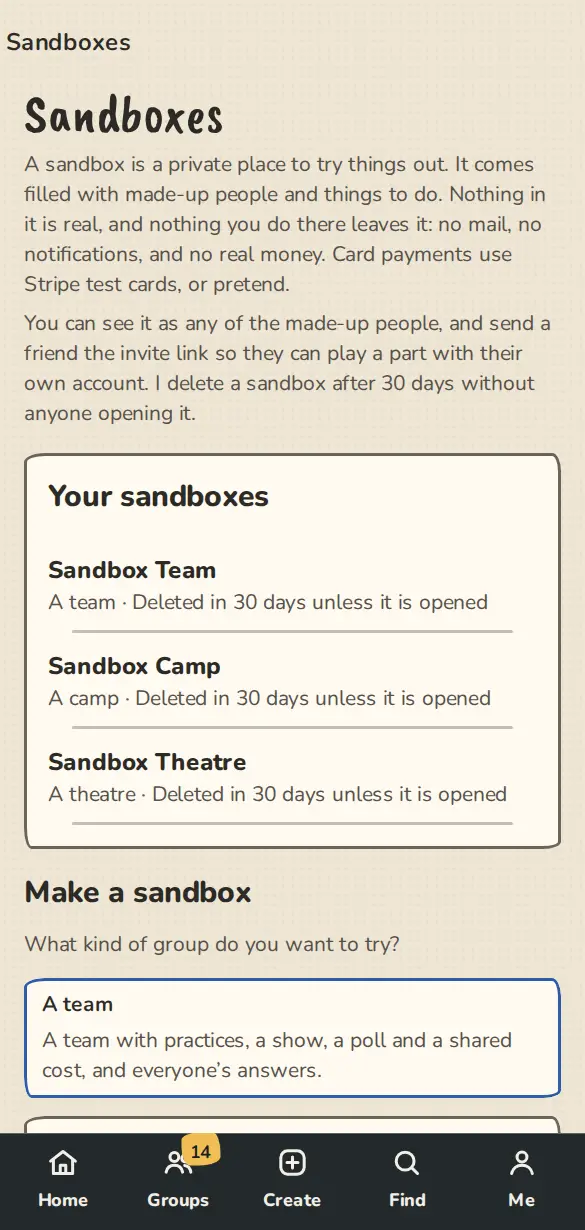
The Sandboxes page on a phone: your sandboxes, and the kinds of group you can try. - 2
It always has six made-up people (ten for a camp). With sample data it also has believable things to do, with dates counted from today; Empty is the people only. A show comes with tickets already sold, a festival with applications waiting for a decision and a theatre with a course and two house teams. You are the owner.
- 3
You can have up to 3 at a time. Delete one to make another.
Play in it
- 1
A banner on every page says it is a sandbox. Every feature is on, so you can try anything, even one your group does not use yet.
- 2
Tap Switch in the banner to open the people picker. Each made-up person has a type, such as an organiser, a player, a ticket buyer, a course student or door staff, and a line on what you can try as them. The banner always says who you are seeing it as, and Back to me returns you. It only applies inside that sandbox.
- 3
A visitor (not signed in) shows the public pages as a stranger sees them, without signing you out. Nothing can be changed while you look that way.
- 4
Add a made-up person makes a new one of any type, with the right place in the group and some history. Only the person who made the sandbox, or an admin of it, can.
- 5
Tap Invite a friend and copy the link. A friend who opens it joins with their own account and can play a part. We send no email from a sandbox, so send the link yourself.
- 6
When a sandbox would send an email, a notification or a chat post, we keep it in the sandbox inbox instead. Every person has an inbox of their own: open it from the picker or from the banner while you are seeing it as them. A notification shows as a phone card, a mail as it would have looked, and each one says why it went that way. The maker sees all messages and can filter by person and kind.
- 7
Links inside a mail open in a new tab, as the person it was for, and only inside the sandbox. After something you do sends messages, a note says how many, and anything queued goes out over the next few minutes.
- 8
Card payments use Stripe test mode, so you rehearse the real checkout. Pay with the test card 4242 4242 4242 4242, any future date and any CVC. Receipts, refunds and the order settling all work the way they do for a real group, and no real money moves. In a sandbox, open the payments page from the card payments section of the payment settings to choose the ImprovTeam test account, connect your own Stripe in test mode, or use pretend payments (a Pay (pretend) page, no Stripe at all). When we have no test mode set up, a sandbox uses pretend payments.
Sample data on demand
- 1
Open Sample data in the banner. Fill with sample data adds the full sample set to what is there. Empty everything deletes all the content and the inbox but keeps the sandbox, you, the friends who joined and the made-up people. Start over empties it, then fills it again.
- 2
Every part has its own Add sample … and Clear …, also in a strip under the banner on that part's pages. Adding twice adds nothing new. Clearing a part never touches anything outside the sandbox.
- 3
Only the person who made the sandbox, or an admin of it, can fill or empty it.
When you are done
- 1
Tap Delete this sandbox in the banner. We delete everything in it, including its made-up people.
- 2
A sandbox nobody opens for 30 days is deleted. You get a notice in the app 5 days before, and opening it starts the clock again.
Good to know
What it doesn't do yet
Still stuck?
Write to us from the contact page. Say which page you were on and what you tapped.