Reviewers score the applications. By default that is one score from 1 to 5. Organisers can add criteria, share the applications out between reviewers and hide who applied.
Reviewing
- 1
Open the festival, then Submissions. Search by name, team, contact or city (with blind review on, by applicant code), pick a city, filter by kind and status, sort by score, newest or name, and tap Not scored by me to see what is left.
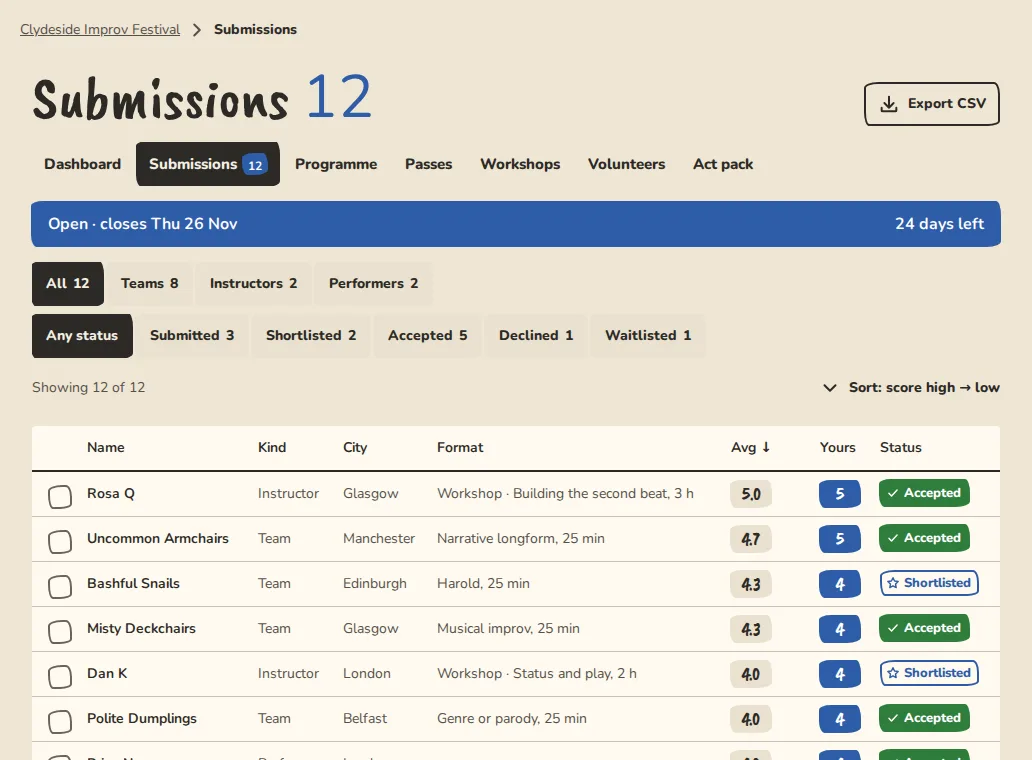
A festival's submissions inbox on a computer, with status and average score for each application. - 2
Tap a submission. Application shows their answers and video link. Reviews is where you score.
- 3
Under Your review, tap a score from 1 to 5. 1 is Not for us and 5 is Book them. On a keyboard press 1 to 5; the left and right arrow keys move between applications.
- 4
Add a note if you like and tap Save note, or Save and next to go on to the next application. An application that arrives after the applications were shared out is given its reviewers by itself.
- 5
Organisers see everyone's scores and the average. Reviewers see only their own.
Recusing yourself
- 1
If you know an applicant, open their application, tap Reviews, then Recuse.
- 2
Your score is removed and you are left out of that application's average. If the applications are shared out, another reviewer takes it.
- 3
To change your mind, open the application and tap Undo recusing.
For organisers: scoring on criteria
Criteria are part of the Organisation plan.
- 1
Open Submissions, then Review setup. Under Scoring criteria, type a name like Originality and tap Add criterion. You can add up to 5.
- 2
Reviewers then score each criterion from 1 to 5. The overall score is the average of them, and it is what the inbox shows.
- 3
Removing a criterion drops the scores given on it. Each review keeps the overall it had.
For organisers: sharing applications between reviewers
Sharing is part of the Organisation plan.
- 1
On Review setup, under Share applications between reviewers, type how many reviewers each application gets and tap Save and share out.
- 2
The applications are spread evenly between your reviewers. A reviewer only sees the ones given to them, plus any they have already scored.
- 3
Added or removed a reviewer? Tap Share out again. Nobody loses what they were given. Only the missing places are filled.
- 4
Leave the number blank to switch it off. Every reviewer sees everything again.
Blind review
A reviewer is someone an organiser added under "Reviewers" in festival settings. They get an email saying so.
- 1
Organisers turn blind review on under Review setup. It is part of the Organisation plan and off by default. A festival that existed before it became a setting stayed blind.
- 2
Sign in with the email address the organiser added. You land on Submissions, and that is all of the festival you can open.
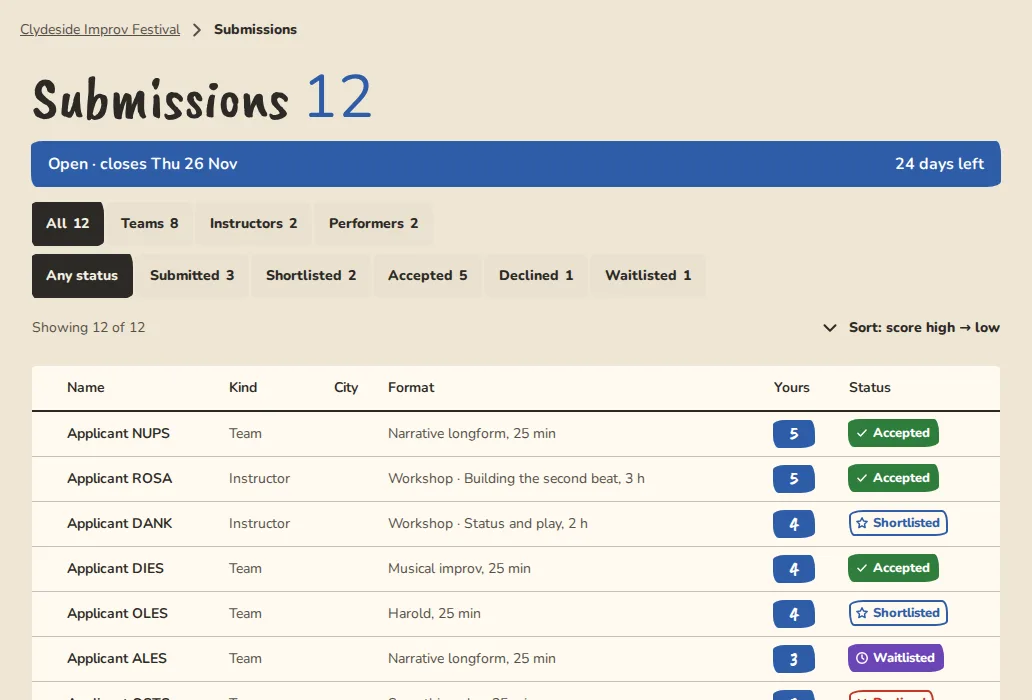
A reviewer's view of festival submissions on a computer: the acts without the applicants' names. - 3
With blind review on, each application shows as Applicant and a 4-character code. Names, cities, members and contact details are hidden, and the video link stays so you can watch it. With it off you also see names, never an email address. Whether the fee was paid or waived is never shown to reviewers.
- 4
Score and leave notes. Reviewers can't change a status or send a decision.
Good to know
What it doesn't do yet
Try it in a sandbox
Make a private copy with made-up people and follow these steps without changing anything real.
Still stuck?
Write to us from the contact page. Say which page you were on and what you tapped.