One page for the stage manager and the door: the running order with times, when each act arrives, what it needs, and your door and house notes.
Run sheet and call times
- 1
On the show overview, open Run sheet. Under each act, open Call times and tech needs: set Arrive by and Soundcheck, and what the act needs (microphones, a music or sound cue, the projector, lighting, anything else). Tap Save.
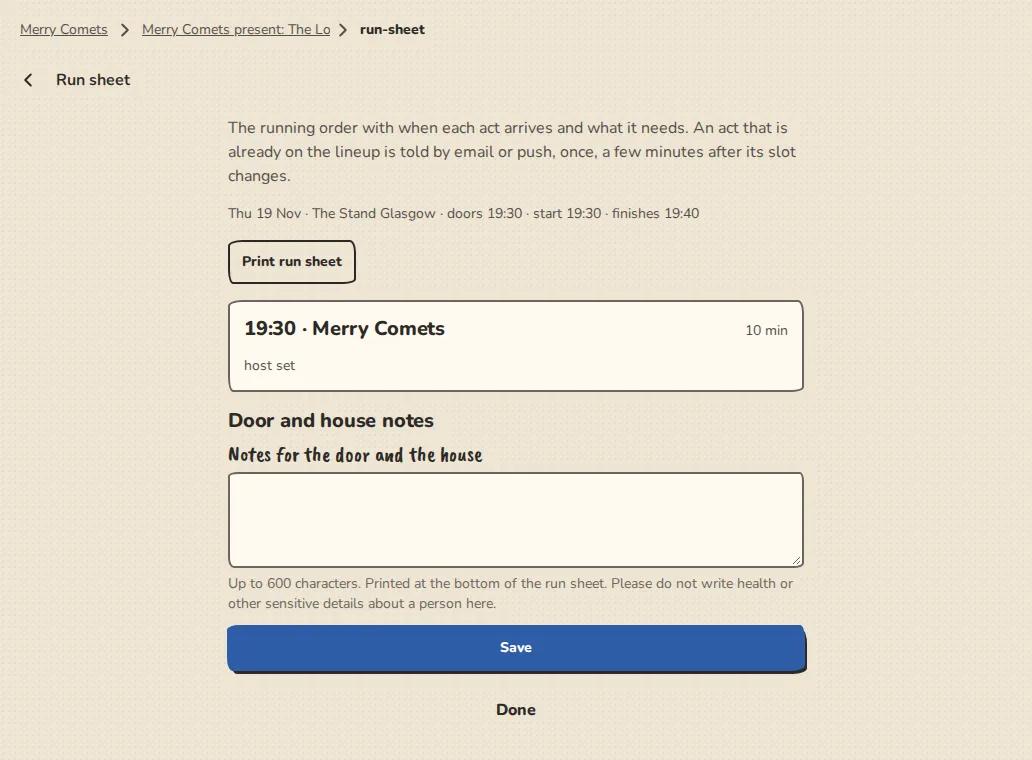
A show's run sheet on a computer: the running order, call times and notes for the door and the house. - 2
Add Notes for the door and the house at the bottom. Tap Print run sheet for a plain one-page version; acts' contacts show by name only.
- 3
An accepted act has its own slot page (from See your slot on its application link, or the link in the Your slot has changed email). It shows the day, when to arrive and when it is on, the venue's address with a link to a map, and the act can fill in its own tech needs until the show starts.
- 4
When you reorder the running order, change a set length or the start time, or set a call time, each act whose slot moved is told once, by email or notification, a few minutes later, with what it was and what it is now. If you change it back in the meantime, nothing is sent.
- 5
Once the act is accepted its slot page also has Confirm and I can't make it. They do the same as the buttons in its emails.
- 6
Freelancers booked for the show (a musical director, photographer, sound, lighting) are listed under the acts as their role, with a call time and what they need at the venue. Set the call time on the group's Freelancers page, under Tools.
Try it in a sandbox
Make a private copy with made-up people and follow these steps without changing anything real.
Still stuck?
Write to us from the contact page. Say which page you were on and what you tapped.