Tip the team puts a pay-what-you-like box on your public pages. Merch lets you sell T-shirts, badges or anything else people collect at a show. All of it goes to your group: ImprovTeam never holds the money.
Tips
- 1
Open the group, then the More tab, then Tips and merch. Owners and admins see it.
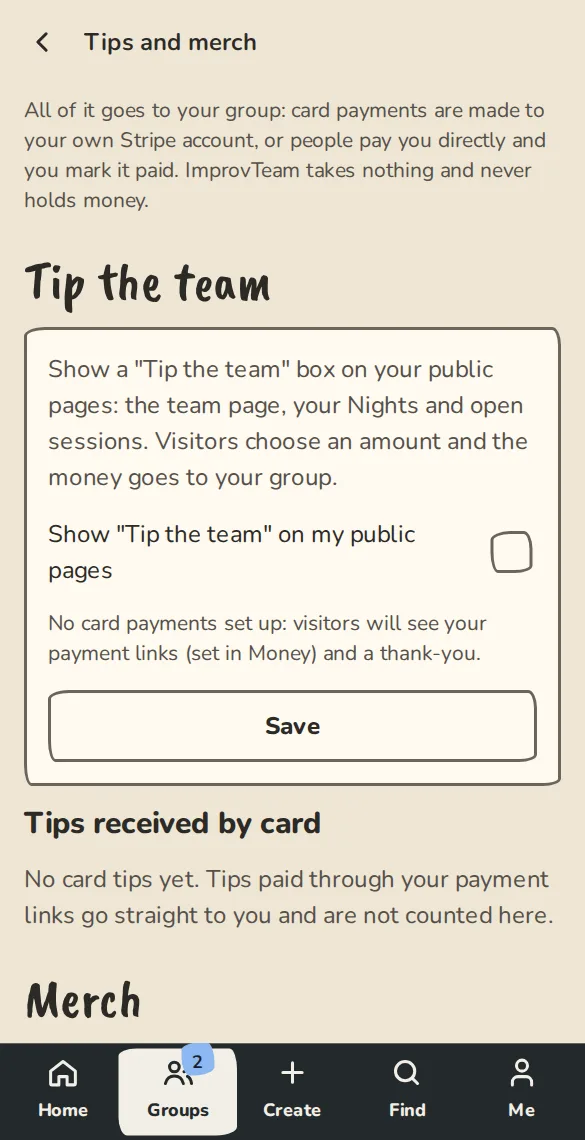
The tips and merch page on a phone: the tips switch and the list of things for sale. - 2
Under Tip the team, tick the box to show it on your public pages, then tap Save.
- 3
With Stripe connected, visitors pick an amount and pay by card into your Stripe account. Without it, they see your payment links. With neither, the box stays hidden.
- 4
The box shows on your team page, your shows and your open sessions, for public groups.
- 5
Card tips are listed under Tips received by card. The show overview shows each show's tips too.
Merch
- 1
On the same page, under Add an item, give it a Name, a Price and How many you have. Leave that blank for no limit.
- 2
Add a description and a picture if you like. Keep For sale on the public pages ticked and tap Add item.
- 3
Buyers tap Buy merch on your team page, a show or a session, choose how many, and give their name and email.
- 4
They tap Pay by card, or Reserve and pay you directly if you take direct payments. Stock counts down as orders are paid or held, and comes back when one is refunded or released.
- 5
Change an item any time and tap Save. Untick For sale on the public pages to hide it, or Delete this item: past orders keep their own copy.
At the show
- 1
Merch to hand out lists who to give things to. It is on the Tips and merch page, the show overview and the show's full door list.
- 2
Tap Handed over as you give each order out. Tap Undo if you ticked the wrong one.
- 3
An order marked Not paid yet can be paid at the table: take the money and tap Mark paid.
Good to know
What it doesn't do yet
Try it in a sandbox
Make a private copy with made-up people and follow these steps without changing anything real.
Still stuck?
Write to us from the contact page. Say which page you were on and what you tapped.