You can ask buyers one optional question at checkout, "How did you hear about this show?". It tells you which of your channels bring people in, and you can compare it with what you see on other ticket sites.
It is off until you switch it on. You see totals only, never which buyer said what.
Switch it on
- 1
In the show form, tick Ask buyers how they heard. It is off by default, and you choose it for each show.
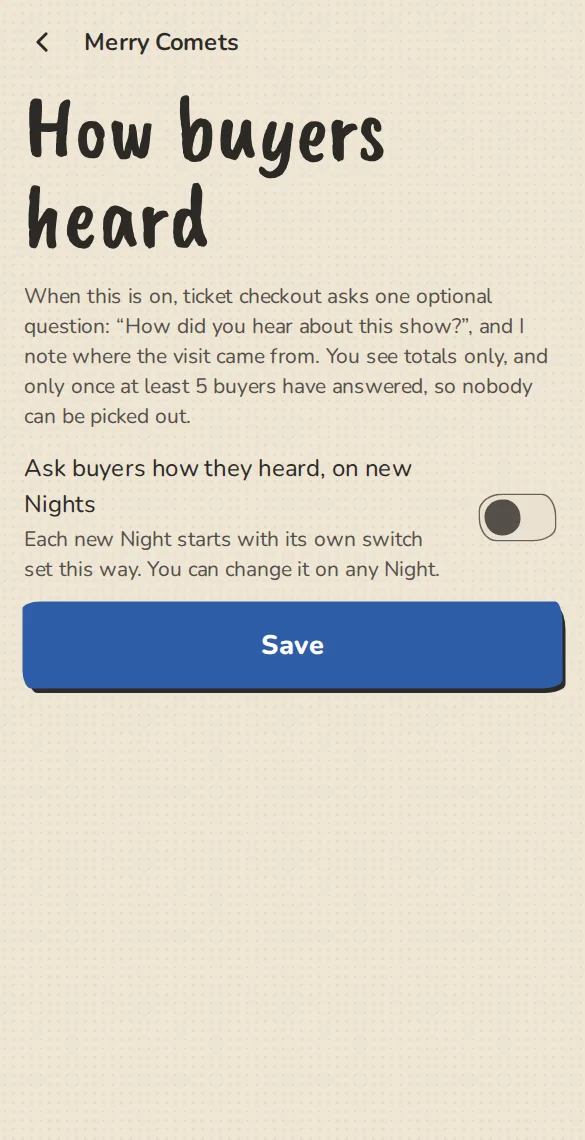
The "How buyers heard" settings on a phone: the switch for the question at checkout. - 2
To start every new show with it on, open the group's Settings, then How buyers heard, and switch on Ask buyers how they heard, on new shows. That changes no show you already made.
What the buyer sees
- 1
One select under the ticket form, with Prefer not to say first, then Social media, A friend or performer, The group's newsletter or email, Walking past or a poster, A search engine, ImprovTeam's city page or what's on, A listings site, Eventbrite or another ticket site, and Other.
- 2
Choosing Other opens a short box. It carries a note not to put health details in it. Nobody has to answer.
Where the visit came from
- 1
As well as the answer, we note where the visit came from: the site the buyer arrived from, or a ?src= word on your link. Add ?src=instagram to the link you post there, and it shows as its own line in the totals.
- 2
We keep only that word or the site's name, never an address, a path or anything about the person. We store nothing in the browser for it.
Read the totals
- 1
On the show overview, Where buyers heard lists What they said and Where the visit came from with counts. For a run of shows, the shows stats page shows the same for the dates you pick.
- 2
A list appears once at least 5 buyers have answered in it, so nobody can be picked out. Below that you see Not there yet, and not even a count.
- 3
Download totals (CSV) saves the counts. Paid orders and free tickets count, and a reservation that was never paid does not.
Good to know
Try it in a sandbox
Make a private copy with made-up people and follow these steps without changing anything real.
Still stuck?
Write to us from the contact page. Say which page you were on and what you tapped.