You can download a copy of everything we hold about you, and you can delete your account. Both are on one page.
Deleting waits 7 days before anything goes. Sign in during that week and your account stays.
Download your data
- 1
Open Settings, then Sign-in and account. Open Sign-in and account
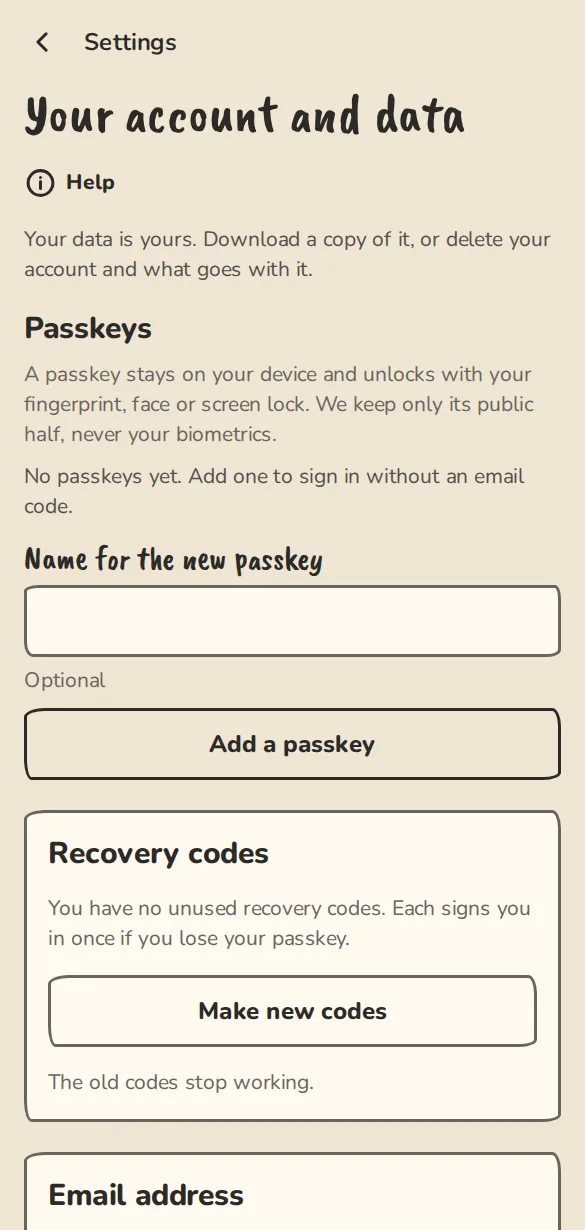
The "Sign-in and account" settings on a phone: email address, passkeys and recovery codes. - 2
Under Download my data, tap Download my data.
- 3
Your browser saves one file (JSON, a format made for computers more than people). It holds your details, your groups, your answers, tickets and passes, payments, votes, devices and the emails we have sent you.
Delete your account
- 1
On the same page, under Delete my account, read what goes and what stays, then tap Delete my account….
- 2
If you are the only owner of a group, choose what happens to it first. The longest-serving admin is picked as the new owner, and you can pick someone else. A group with nobody else in it is deleted with your account.
- 3
A theatre, festival or venue with shows, sales or students cannot just be deleted. Hand it to another member of staff, or choose to close it: that cancels what is upcoming and tells ticket holders, students and applicants.
- 4
Type your email address to confirm (an account without one types the word delete), then tap Delete my account in 7 days.
- 5
We email you the date, or send a notification if you have no email address. Your account is deleted on that date unless you sign in before it.
Changed your mind
- 1
Sign in any time in those 7 days, with a code or a passkey, or tap Sign in to keep my account in the email.
- 2
You see Welcome back: your account deletion is cancelled. Your account and your memberships are as they were.
- 3
Groups you handed over or closed stay that way. Those choices happen straight away, so cancelling does not undo them.
Good to know
What it doesn't do yet
Try it in a sandbox
Make a private copy with made-up people and follow these steps without changing anything real.
Still stuck?
Write to us from the contact page. Say which page you were on and what you tapped.