An audition round takes applications through one link, books people into time slots, lets you score them and tells everyone the outcome in one go. People you accept get a button to join the group.
Teams and theatre or school groups can run auditions. Owners and admins decide. Teachers can score, but see only their own scores.
Open a round
- 1
Open the group, then More, then Auditions, and tap + New round.
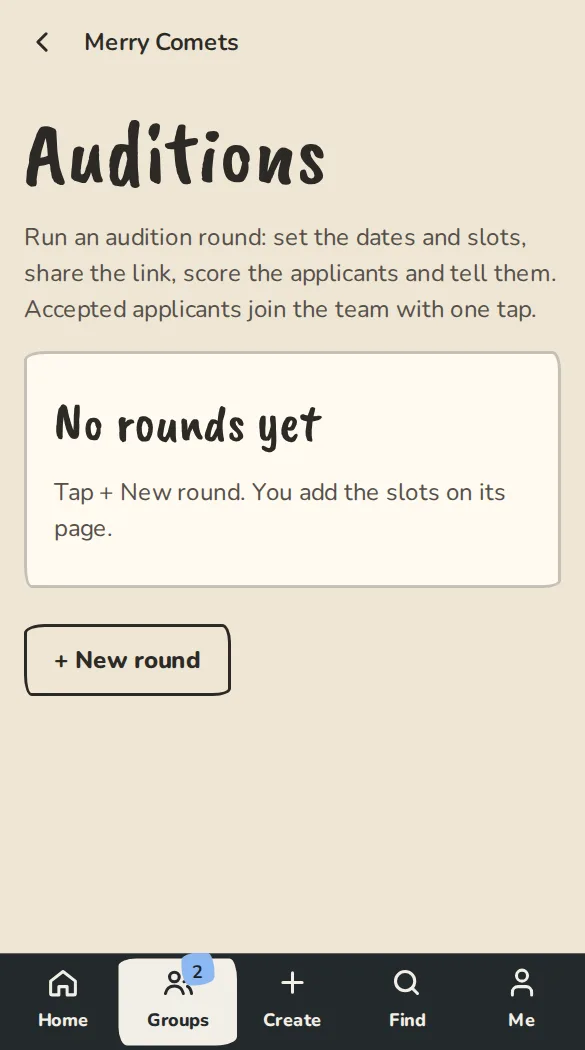
A group's Auditions page on a phone, with the button to start a round. - 2
Give it a Round name (like Spring auditions) and write About this round: what you are looking for, where to come, what to bring.
- 3
Set Opens on and Closes on. Leave Opens on blank to open now.
- 4
Check the Outcome emails for accepted, callback and declined. You can still change the wording before you send. Tap Create round.
- 5
On the round's page, under Add slots, set the Start time, Minutes each, How many and People per slot, then tap Add slots.
- 6
Tap Copy the link to share and post it wherever your auditionees are.
For people auditioning
- 1
Open the link and tap Apply.
- 2
Give Your name, your email and a few lines under About you, pick a slot and tap Send application.
- 3
An email confirms your slot. If you can't come, tap I can't make it in it and the slot goes back for someone else.
Score and decide
- 1
Applicants appear on the round's page as they apply. Give each a score from 1 to 5 and add a note if it helps. Only organisers see notes.
- 2
Tick the people who get the same outcome, then use Tell the selected applicants and pick Accept, Callback or Decline.
- 3
Read the email in Preview the email and tap the send button, like Accept and email 4. Nothing changes until you send.
- 4
The emails go out over the next few minutes. An acceptance has a Join button that makes them a member in one tap. It works for 7 days.
Good to know
What it doesn't do yet
Try it in a sandbox
Make a private copy with made-up people and follow these steps without changing anything real.
Still stuck?
Write to us from the contact page. Say which page you were on and what you tapped.