Front of house is a narrow role for the people who work your door, box office or bar. They are not members of the group: they see only the screens for the shows they work.
Owners and admins of the group set it up. It is for a theatre, or any group that runs shows.
Add staff
- 1
Open More, then Front of house, and tap Manage front-of-house staff.
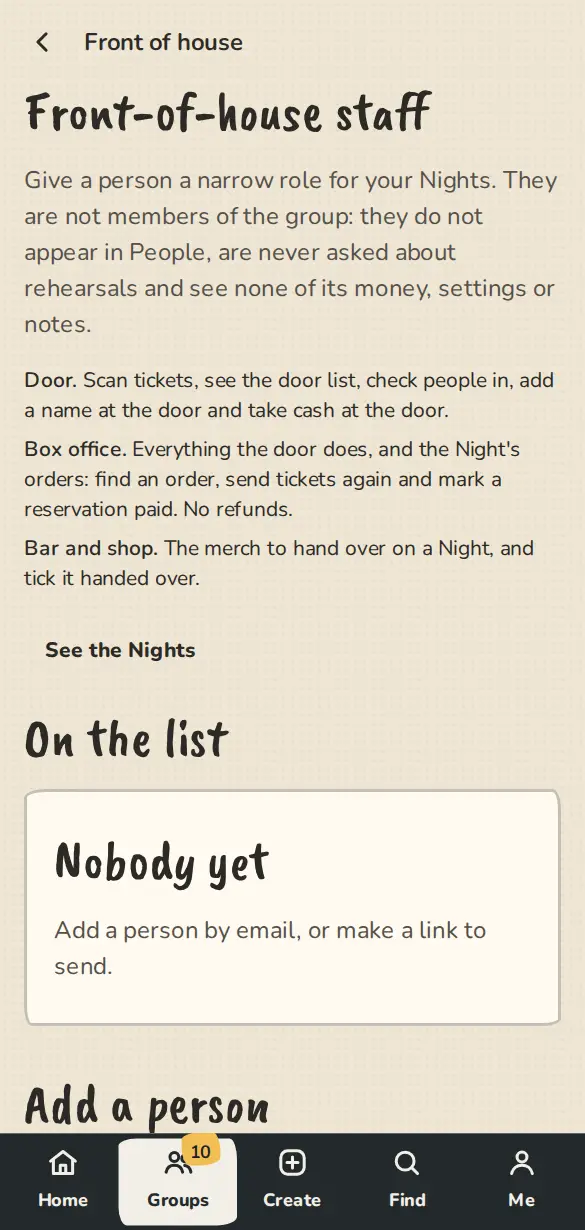
A theatre's front-of-house staff page on a phone: add a person with a role, or send a link. - 2
Under Add a person, type their email and pick a role: Door, Box office or Bar and shop. A name is optional. Tap Add. They get an email saying where to start.
- 3
Or, under Or send a link, pick a role and tap Make a link, then Copy link and send it. Anyone signed in who opens it gets that role. A link works for 7 days, and Revoke ends it sooner.
- 4
To change a role, pick the new one next to their name and tap Change. Remove takes them off, and their access ends at once.
What each role does
- 1
Door: scans tickets, sees the door list, checks people in, adds a name at the door and takes cash at the door.
- 2
Box office: everything the door does, and the show's orders. They can find an order, send tickets again and mark a reservation paid. They cannot refund.
- 3
Bar and shop: sees the merch to hand over on a show, and ticks it handed over.
On the show
- 1
Staff sign in with the address you used. A Front of house entry shows in their menu, with the shows coming up and the buttons their role allows.
- 2
They see no People list, no money, no settings, no notes and no email addresses.
Good to know
Try it in a sandbox
Make a private copy with made-up people and follow these steps without changing anything real.
Still stuck?
Write to us from the contact page. Say which page you were on and what you tapped.