Room hire is for renting one of your rooms to someone outside the group: a company, a class, a one-off event. Hirers need no account. It is separate from a group on ImprovTeam asking to book a room, which is under "Rooms to hire".
You are the seller and you set the terms. ImprovTeam is not a party to a hire and never holds the money.
Let people ask
- 1
Add your rooms first: open More, then Rooms to hire. On each room, tick Open to outside hire.
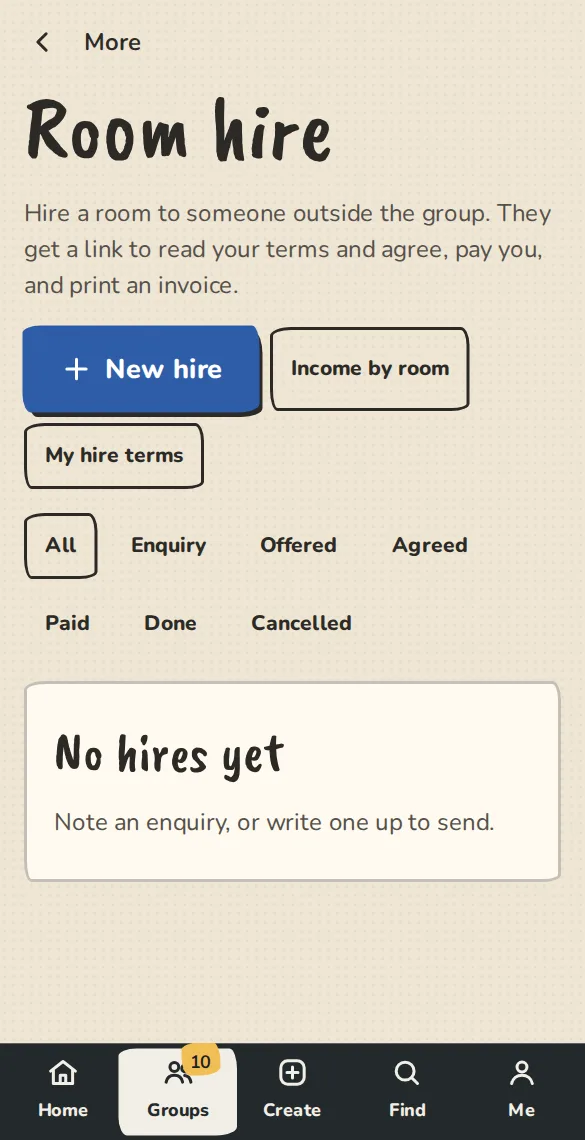
A theatre's Room hire page on a phone: enquiries and offers for the rooms it lets out. - 2
Your public page then shows Hire a room. People pick a room, a date and times, say what it is for and give their email. We send them a note that it arrived.
- 3
You are told there is an enquiry, and it shows under Room hire marked Enquiry. Nothing is booked or promised until you send an offer.
Make an offer
- 1
Open More, then Room hire. Write your standard terms once under My hire terms, so every new hire starts with them.
- 2
Open an enquiry, or tap New hire for one that came by phone. Set the room, the date and times, the price, any deposit and what is included. We check the room is free before you send.
- 3
Tap Send the offer. The hirer gets a link to read your terms, agree by typing their name and pay. They pay the deposit and the balance by card on your Stripe, or pay you directly, and you mark a direct payment paid.
- 4
Once they agree, the price, times and terms are fixed. You can still cancel, mark it done or change their billing details.
Invoices and VAT
- 1
The hirer can print an invoice from their link. It names your group as the seller and has its own number.
- 2
If you charge VAT, add your VAT number in Settings, then Money, on the VAT number card. On each hire, tick The price already includes that tax and type the VAT rate in percent. The invoice then shows the net price, the VAT and the total.
- 3
We only split the price you typed. We never decide whether VAT is due. With no rate, the invoice shows one line and your tax note.
What each room earned
- 1
Tap Income by room and pick a period. It lists agreed hires by room with what was invoiced and what was paid, and has Download CSV. Money paid to you directly counts once you mark it paid.
Good to know
What it doesn't do yet
Try it in a sandbox
Make a private copy with made-up people and follow these steps without changing anything real.
Still stuck?
Write to us from the contact page. Say which page you were on and what you tapped.