Most of the forms people fill in for your group can carry questions of your own: show act applications and ticket booking, festival submissions, volunteer shifts, auditions, course and workshop booking, drop-in sign-up, requests to join and entering a team into a Cage Match. The builder is one page for all of them.
Questions belong to the group, not to a single event, so a question you add to the show application shows on every show you run.
Find the builder
- 1
Open the group, then Settings, then Questions on forms. It lists every form your kind of group has, with how many questions of your own each carries.
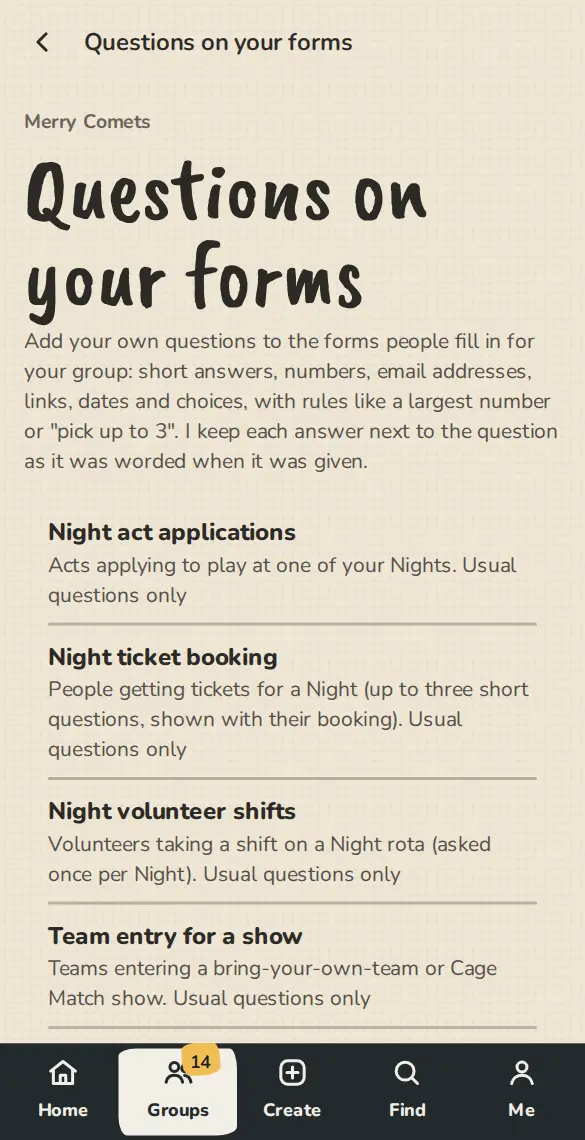
A group's "Questions on your forms" settings on a phone: every form, with its questions of your own. - 2
Tap a form to open its builder. A festival's application questions are the same builder, under the festival's own questions page.
Add a question
- 1
Tap Add a question, type the Question and pick an Answer type: short answer, long answer, number, email address, link, date, choose one, choose several, or yes or no.
- 2
For the two choose types, write one choice per line under Choices.
- 3
Under Rules set what you need: the fewest or most characters, a lowest or highest number, whole numbers only, or Choose up to 3. An email or link answer is checked to look like one.
- 4
Tick People must answer if the form should not go through without it. Add Help text for a line under the question.
- 5
To show a question only sometimes, pick an earlier question and the answer that makes it appear. Without JavaScript every question shows, with a note saying when it applies.
- 6
Tap Add question. The form people fill in has it straight away.
The questions that come with a form
- 1
A form starts with its usual questions. On a form that allows it you can reword one, stop asking an optional one with Stop asking, or put the usual wording and order back with Restore the usual wording and order. Your own questions stay.
- 2
You can ask up to 12 questions of your own on most forms, 5 on workshop booking and 3 on show ticket booking.
Read the answers
- 1
Answers sit next to the person they belong to: on a show application, the Orders and Door pages, the People page for a join request, or a festival submission.
- 2
Each form's builder has Download as CSV, and the list has Download everyone's answers (CSV).
- 3
If you reword a question, older answers keep the wording they were given under. If you remove a question, its answers stay.
Good to know
What it doesn't do yet
Try it in a sandbox
Make a private copy with made-up people and follow these steps without changing anything real.
Still stuck?
Write to us from the contact page. Say which page you were on and what you tapped.