If you already sell tickets or keep your dates somewhere else, the group can copy them in. Each show appears on your group page and the city page with its time, place and a link back to where you sell.
ImprovTeam never sells these tickets and never holds the money. We copy only the title, the times, the venue and the link.
Add a source
- 1
Open the group's Settings, then Calendar import. Owners and admins can add one.
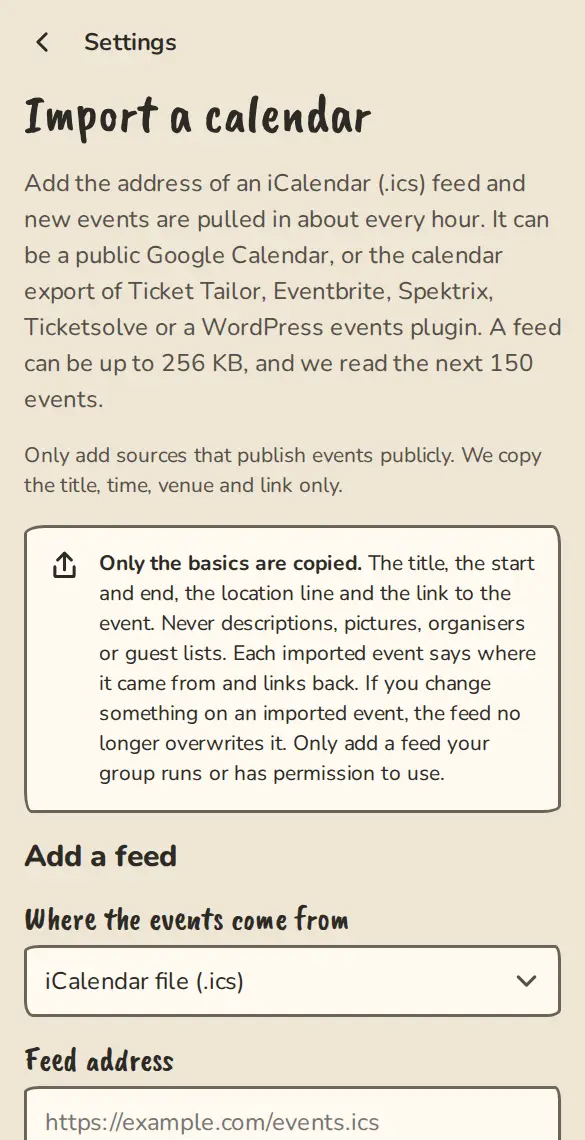
The calendar import settings on a phone, with a box for a calendar or web page address. - 2
Under Where the events come from, pick the source and fill in what it asks for (below).
- 3
Choose the Event type, Who can see imported events and, if you like, a Venue. Leave Tell members about new imported events off unless you want an email for each one.
- 4
Tap Add feed. New shows come in on the next round, then it is read again about every hour. Fetch now puts it first in the queue.
Which sources work
- 1
iCalendar link: paste an https:// or webcal:// link to an .ics file. Google Calendar, Apple Calendar and many ticket sites give one.
- 2
Website events page: paste the address of a public page that lists your events. It must describe them for search engines, as most theatre and ticket sites do. A page built only with JavaScript is missed.
- 3
Ticket Tailor and TicketSource: pick the source and paste your own API key (Ticket Tailor: your box office settings. TicketSource: Settings, then API). We use it only to read your event list.
- 4
Ticketsolve: paste your venue's public XML shows link, like https://yourvenue.ticketsolve.com/shows.xml. Only ticketsolve.com addresses are accepted.
- 5
Eventbrite: on your city listing, tap Add your calendar and paste your Eventbrite organiser page. An ImprovTeam admin approves it first.
Your API key
- 1
The key is stored encrypted, never shown again, and deleted when you remove the feed or delete the group. Use a key that can only read events if the site lets you.
- 2
If a site refuses the key, the feed is paused and the organisers are told. Nothing is deleted. Tap New API key, paste a fresh one and save, and it resumes.
What your audience sees
- 1
Each show says Tickets on the site and links to its own page. A show the site says is sold out shows Sold out, and a cancelled show is marked cancelled.
- 2
If you edit an imported show, later reads leave your change alone. Imported shows are never deleted: one that disappears from the site is cancelled.
Good to know
What it doesn't do yet
Try it in a sandbox
Make a private copy with made-up people and follow these steps without changing anything real.
Still stuck?
Write to us from the contact page. Say which page you were on and what you tapped.