A workshop is a one-off class with a teacher, a price and a set number of places. Anyone can book a place: they do not need to be in your group.
Teams, drop-in groups and theatres or schools can all run workshops. Festivals have their own workshop booking with passes.
Set one up
- 1
Open the group, then More, then Workshops, and tap New workshop.
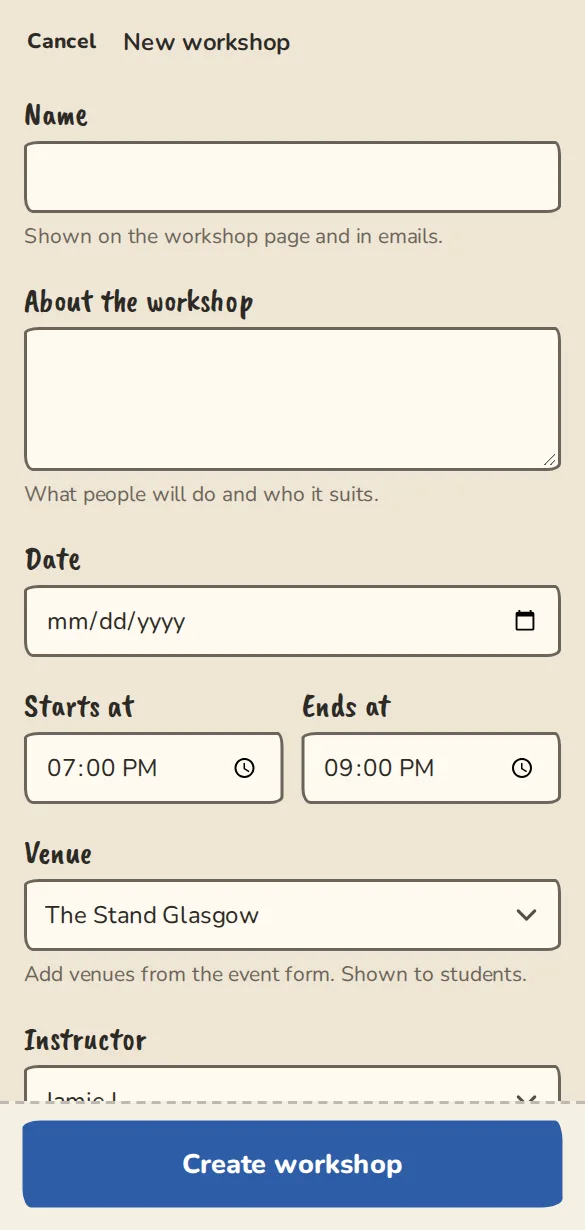
The new workshop form on a phone: title, date and time, places and price. - 2
Fill in Name, About the workshop, the Date, Starts at and Ends at.
- 3
Pick the Venue and the Instructor from your group.
- 4
Set the price and Places. Leave the price empty for a free workshop, and Places empty for no limit.
- 5
Under Who can book, choose Anyone: listed on the group's public page or Anyone with the link. Add terms if people should accept them first, then tap Create workshop.
- 6
Open the workshop from the list and copy the link next to Public page: to share it.
Booking a place
- 1
Open the workshop's page and tap Book my place, or Book for the price if it costs money.
- 2
For a paid workshop, pay by card on the group's own Stripe page or, where the group takes direct payments, reserve your place and pay the group directly. A reservation is held for a set number of hours.
- 3
If it is full, tap Join the waitlist. When a place opens you get an email, and no money is taken until then.
- 4
To drop out, use the link in your booking email.
On the day
- 1
The workshop's page in your group shows Booked with everyone who has a place.
- 2
Places waiting for a direct payment are under Awaiting payment. Tap Mark paid when the money arrives, or cancel the reservation.
- 3
Tap Remove to take someone off. The next person on the waitlist is offered the place.
Good to know
What it doesn't do yet
Try it in a sandbox
Make a private copy with made-up people and follow these steps without changing anything real.
Still stuck?
Write to us from the contact page. Say which page you were on and what you tapped.